Voice AI
Handle supported voice interactions, answer approved questions and use configured actions. Plan routing, knowledge, booking requirements and human handoff.
THE PRACTICAL AI LEARNING HUB
Learn what AI agents can do, watch the decisions behind a conversation, and discover how to build a useful system for your business.
Instructions describe what the agent should do, what it must not do, and when it should ask for help.
Understand what an AI agent is and what it needs to do useful work.
Learn the essentials DECISIONSMatch your business problem to a sensible first AI tool or workflow.
Find a starting point IMPLEMENTATIONExplore how instructions, information, tools and handoffs work together.
Explore the field lessonUnderstand the difference between a convincing answer and a completed business task.
An AI agent is software that uses an AI model, instructions, and connected tools to work toward a goal. It can interpret a request, choose a permitted action, and use the result to decide what happens next.
For a business, that could mean checking appointment availability, gathering details from an inquiry, or preparing a follow-up task. The agent’s actual abilities depend on its configuration, permissions, and connected systems.
A customer asks for a painting estimate. A configured agent collects the service location, checks whether the business serves that area, and looks for an available appointment. If booking succeeds, it confirms the details. If the calendar is full or the booking fails, it follows the approved fallback instead of claiming an appointment was created.
Illustrative scenario. Capabilities depend on the tools and rules configured for the business.Further reading: Anthropic’s explanation of workflows and agents .
Follow a fictional estimate request from greeting to outcome. Change the situation to see why an AI receptionist needs more than a good answer.
Thanks for calling. I’m the AI assistant. How can I help?
I’d like an estimate for painting my living room.
The greeting identifies the assistant and invites a request. Its instructions define the job and the boundaries.
The agent should not imply that a person is speaking or that an appointment already exists.
This simulation explains a possible configuration. It is not a recording of Natasha, a customer result, or a promise that every software plan includes these actions.
Call Natasha, our live AI agentYou don’t need every AI feature. Choose the problem closest to yours to explore a practical first step.
Explore answering routine phone inquiries, collecting details, and offering an approved next step when your team cannot answer.
Gather your business hours, services, service area, common questions, call-routing rules and human-handoff instructions.
Test one routine inquiry, one unsupported request, and one request for a person. Verify any task or appointment the agent says it created.
Educational guidance, not a software quote. Supported actions, channels, integrations and usage charges depend on your configuration and plan.
Choose one task, define what a correct result looks like, and decide who handles exceptions. Expand after you can verify the system is doing that job reliably.
You’ve seen an educational simulation. Now call American Dreams Marketing’s AI agent and experience a live conversation for yourself.
Not sure what to say? Try one of these:
Notice whether the answers are relevant, whether the agent asks useful follow-up questions, and how it handles a request for human help.
The simulation above is illustrative and may differ from Natasha’s current configuration. Calling does not automatically book an appointment.Our AI voice agent
(908) 574-1088 Call Natasha Opens your device’s calling app.Clear explanations for business owners. Open a guide to understand the setup, questions to ask, and results to verify before you put AI in front of customers.
An AI agent uses a model, instructions and permitted tools to work toward a goal. A conversational interface alone does not prove that a system can complete business actions.
A basic chatbot may follow a script or answer questions. An AI assistant may help a person draft or analyze something. An agent may choose and use connected tools to carry out a task. Product names overlap, so ask what the software actually reads, changes and verifies.
A helpful answer and a completed action are different outcomes. During a demo, ask to see the resulting calendar entry, assigned task or updated contact.
Source: Anthropic: Building effective agents.
Start with one narrow job. Choose a platform that supports the required channel and actions, prepare approved information, connect the necessary tools, and test before launch.
No-code is a practical option when supported settings and integrations fit your process. Custom development may be needed for unusual systems or more control over evaluation and deployment. If every input follows fixed rules, ordinary workflow automation may be sufficient.
Start with the channel where useful inquiries currently wait. Voice AI handles supported phone interactions; Conversation AI handles supported messaging conversations.
Calls frequently arrive while your staff are busy, callers ask recurring questions, or the team needs a consistent way to collect inquiry details. Define business hours, routing and what happens when someone asks for a person.
Website or other supported messaging inquiries wait for replies. Prepare concise answers, qualification questions, conversation ownership and takeover rules. Confirm that your specific channels are supported by the selected product.
Test one channel before expanding. Compare correctly handled inquiries and human corrections, not just the number of automated replies.
The total may include a platform subscription, AI usage, phone or messaging charges, setup and ongoing support. A monthly headline price does not describe the entire operating cost.
Estimate your workload before comparing plans. For example, 200 calls averaging four minutes is 800 minutes before testing or additional activity. That is an illustrative workload, not a customer result.
Ask for a written quote showing normal and busy-month assumptions, included usage, overages and support. Avoid counting the same included usage twice.
Supply current, approved business information through the platform’s supported knowledge tools. This usually means grounding and configuration, rather than training a new model from scratch.
Remove contradictions before uploading material. A policy page and an old brochure should not give different answers. Assign an owner to update the knowledge when your services or policies change.
Ask common questions in several ways. Then ask an out-of-scope question and one the source material does not answer. The agent should follow its uncertainty and escalation instructions instead of inventing an answer.
Test both the conversation and the actual actions. A confident response is not evidence that a booking, contact update or handoff succeeded.
For each case, record the expected outcome, the actual outcome and what needs correcting. Check calendar records, task ownership and the context sent to staff.
After changes to instructions, knowledge or integrations, repeat the relevant cases. If an action repeatedly fails, pause that action and route work to the team while you investigate.
Explore success, failure and handoff in the interactive lesson.
A configured agent checks a connected calendar, gathers required details, submits the booking and verifies the result before confirming it.
An offered time is not a reservation. If the calendar is full, the agent needs an approved alternative. If booking fails, it should explain that an appointment was not created and use the configured recovery path.
Do not assume rescheduling, cancellation or live transfer is supported merely because appointment creation works. Test each needed capability separately.
Choose based on the job and the actions you need. These categories overlap, and product names do not guarantee particular capabilities.
| Approach | Useful for | Example | What to verify |
|---|---|---|---|
| Basic chatbot | Scripted conversations or supported answers. | Helping visitors find business hours or a service page. | Answer quality and an available human contact route. |
| AI assistant | Helping a person draft, summarize or analyze. | Preparing an email for staff to review. | Accuracy, appropriate data access and review before use. |
| Workflow automation | Defined actions after a known trigger. | Creating an assigned task after a form submission. | Trigger conditions, missing fields and duplicate handling. |
| AI agent | Interpreting variable requests and selecting permitted actions. | Checking a calendar and attempting a suitable appointment booking. | Permissions, action results, failure recovery and handoff. |
On mobile, swipe the table sideways. A single software platform may combine several of these approaches.
Explore the roles of HighLevel AI tools and related capabilities. Use this as a starting point for a configuration discussion, not a promise that every feature is included in a subscription.
Handle supported voice interactions, answer approved questions and use configured actions. Plan routing, knowledge, booking requirements and human handoff.
Respond on supported messaging channels, gather inquiry details and guide people toward an approved next step. Confirm channel availability and staff takeover behavior.
Explore creating supported agents through natural-language configuration. Confirm the available tools, permissions and deployment options for your account.
Use supported AI steps inside business workflows. Define inputs, expected outputs and what happens when information is missing or a step fails.
Help prepare content and email drafts. Provide your audience, offer and approved facts, then review accuracy and brand voice before publishing.
Explore assistance with review responses. Set a suitable tone and clear rules for complaints, sensitive details and situations requiring a person.
Explore in-platform assistance for supported questions and tasks. Check what account context and actions are available.
Explore supported creative generation tools. Review outputs for accuracy, suitability and brand consistency.
Assist with supported page-building tasks. Human review still matters for copy, accessibility, mobile layout and conversion paths.
Organize approved business information for connected AI experiences. Keep policies consistent and assign an owner to updates.
Review existing agent flows and account availability. Confirm the current supported path before starting a new implementation.
Refine supported Voice AI and Conversation AI instructions. Retest real scenarios after changing a prompt.
Product names, availability and billing can change. Review HighLevel’s AI tools documentation. American Dreams Marketing will confirm the features and charges relevant to your proposed setup.
Explore American Dreams Marketing softwareExplore how call volume and usage assumptions affect a simple budget. The starting numbers below are invented for learning. They are not HighLevel or American Dreams Marketing prices.
Yes, when a no-code platform supports the channels and actions you need. You still need clear instructions, accurate business information, connected accounts and testing. Unusual integrations may require development work.
Free tools or trials may help you explore a concept. A production setup connected to real phone calls, messages, calendars or a CRM may incur subscription and usage charges. Confirm the full cost before launch.
A prototype and a dependable customer-facing launch are different milestones. Timing depends on your information, integrations, routing and testing. Define readiness by correct answers, verified actions and reliable handoffs rather than a fixed promise.
A configured voice agent can handle supported phone interactions and assist with booking through a connected calendar. Confirm the required service rules, availability, contact details and failure handling. Test the actual calendar record, not just the spoken confirmation.
Supported workflows can trigger follow-up messages or actions. Define timing, appropriate channels, opt-out handling and stop conditions. Check that the process changes when someone replies, books or asks to stop.
You cannot guarantee that an AI system will never make an error. Reduce risk with focused instructions, current sources, restricted actions, realistic tests and human escalation. Review conversations and update information as your business changes.
Start by deciding which routine work it can assist with. Your team remains important for exceptions, relationships, approvals and reviewing results. Measure the work still required rather than assuming automation removes an entire role.
Avoid starting with work whose rules you cannot explain or whose errors you cannot detect. Begin with drafts, routine inquiries or information collection. Keep a person responsible for decisions beyond the agent’s approved scope.
No such assumption should be made. Features, allowances and charges vary by plan and configuration. American Dreams Marketing will confirm the required setup and applicable costs before you choose an option.
Yes. Book a free discovery call to discuss your current tools, where inquiries get stuck and the first job you want AI to handle. The next step may be software, implementation support or a learning resource.
Digital learning resources from American Dreams Marketing. Review the current contents and price at checkout before purchasing.
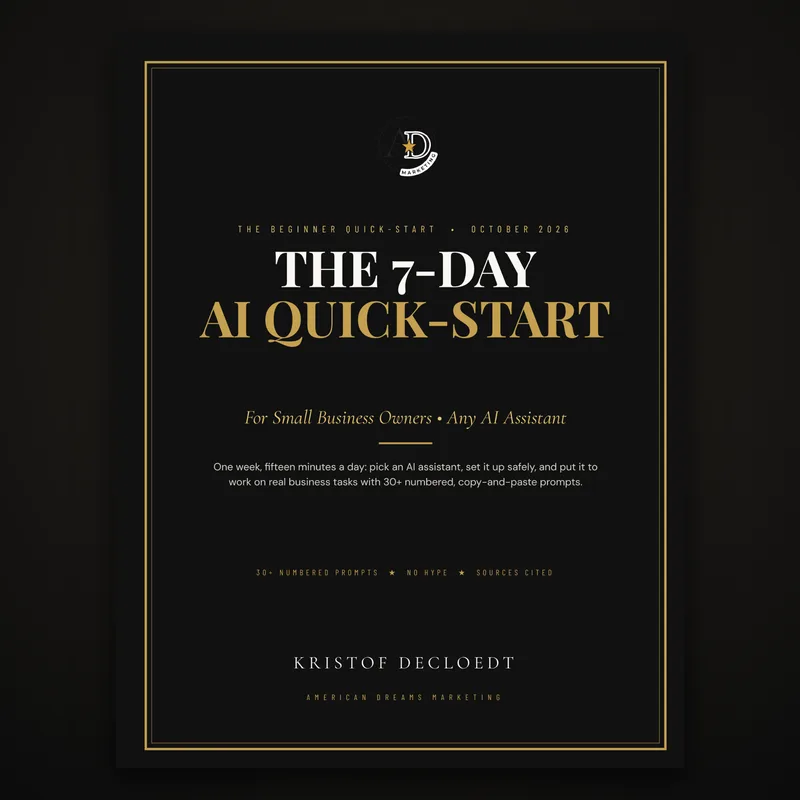
Explore the introductory resource and decide whether it fits your next stage of learning.
View ebook and current price Paid digital resource from American Dreams Marketing.
Explore the collection, review the included resources and choose the learning option that fits your goals.
View bundle and current price Paid digital resource from American Dreams Marketing.Build A AI Agent is an educational resource published by American Dreams Marketing, led by Kristof Decloedt.
We also sell software, implementation services and ebooks. That commercial relationship is part of this site: the guides help you understand the options, and the next-step links connect you with our business.
Our examples explain possible configurations. Simulations and hypothetical budgets are not customer results. Product capabilities and pricing should be confirmed for your account before implementation.
Have a question or notice something that needs clarification? Bring it to a discovery call.
Book a free discovery call with American Dreams Marketing. Bring one business challenge: missed calls, slow replies or repetitive follow-up. We’ll discuss a practical starting point.
We’ll explore what your agent needs to know, which systems it needs to reach, and when your team should take over.
You don’t need a technical blueprint before we talk. Useful things to bring include:
Feature availability, integrations, usage charges and implementation work depend on the configuration. We’ll clarify those details before recommending a setup.
Prefer to try the AI first? Call Natasha at (908) 574-1088.
Choose an available time to discuss AI tools and implementation.
Prefer a full-page calendar? Open the booking calendar .
 Talk to our AI
Scan your preferred shortcut.
 Connect by phone
You can also use the phone link on this page.